
Tap Your Badge. Grab Any Radio. Start Your Shift.
Pair Pushytap app Kiosk mode with the Universal RFID-BLE Gateway to put shared Android PTToC radios into service in seconds. Tap an existing employee badge (125 kHz Prox or 13.56 MHz NFC/DESFire), pick up a radio, and load the worker's talkgroups, identity and safety rules. Choose wall-installed or table-mounted hardware. No network cabling is needed.
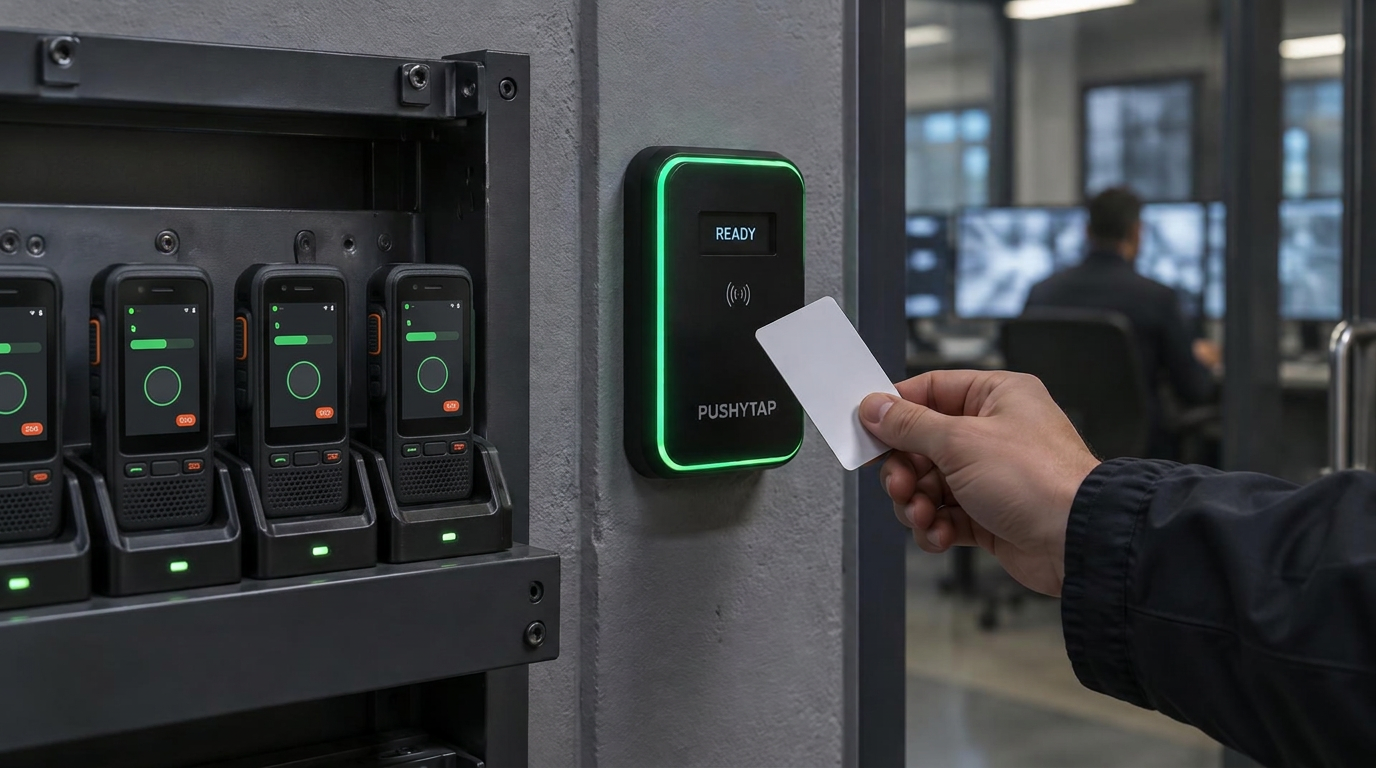
Pushytap Kiosk mode
The app runs the shared radio. The gateway reads the badge.
Kiosk mode is the shared-device experience in the Pushytap app. The RFID-BLE Gateway complements it with a physical badge tap, connecting the worker's existing credential to the radio they pick up.
Tap at the gateway
The reader accepts the worker's existing badge and passes a secure handoff token locally over BLE.
Claim in Kiosk mode
The Pushytap app verifies the worker, prompts for their PIN and loads their assigned talkgroups and safety rules using the radio's connection.
Return for the next shift
Returning the radio to its cradle signs the worker out and clears their local messages and inspection drafts for the next user.
Hardware variants
On the wall. On the desk. The same badge handoff.
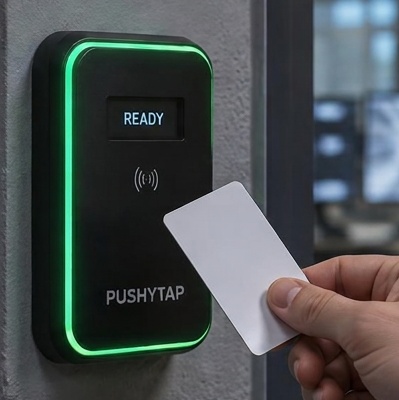
Wall-installed gateway
Keep badge claiming beside your charging rack or at a fixed guard-post handoff point.
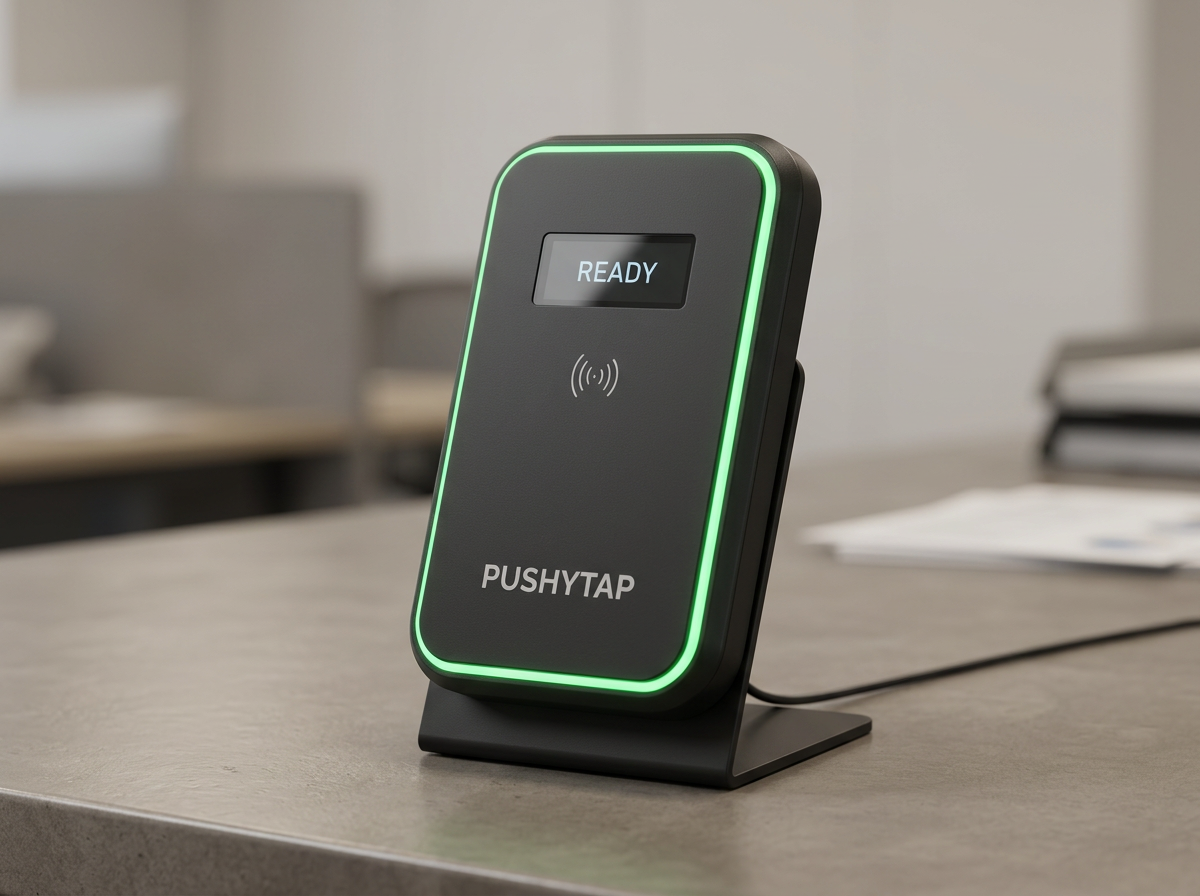
Table-mounted gateway
Put Kiosk mode badge claiming on a reception desk, security counter or shift check-in table.
Deployment
Why zero-cabling deployment changes everything
Traditional hardware readers
The IT friction nightmare
Standard access control readers require dedicated Ethernet drops, PoE switch ports, corporate Wi-Fi configuration, MAC whitelisting, and a 6-month enterprise InfoSec review.
- Ethernet drops
- PoE switch ports
- Wi-Fi configuration
- InfoSec review
No Network Drops
The Pushytap Gateway requires only power (standard 5V USB-C or 12-24V DC). Install the wall variant beside your charging rack or place the table-mounted variant on your check-in counter, then plug it in.
Phone-as-Backhaul Architecture
The gateway communicates with handsets locally over short-range Bluetooth Low Energy (BLE). The claimed handset uses its own active cellular (LTE/5G) or facility Wi-Fi connection to securely authenticate with Pushytap Cloud.
Zero Network Attack Surface
The gateway has no IP address, no open ports, and no cloud-facing attack vector. It cannot be scanned, probed, or compromised from the internet.
Shift handoff
The 10-second rack experience
- 01
Tap Existing Badge
The worker taps their existing security access badge or fob on the wall-installed or table-mounted Pushytap Gateway.
- 02
Instant Local Handoff
The gateway advertises a secure, single-use authentication token locally over BLE (with a dynamic on-screen QR code fallback).
- 03
Pick Any Handset
The worker lifts an available Android PTToC radio running the Pushytap app in Kiosk mode. The app receives the BLE tap token.
- 04
Enter PIN & On-Air
The handset prompts for the worker's fast 4-digit PIN, connects to Pushytap Cloud, loads their personal talkgroups, and registers their identity for dispatch and lone-worker compliance.
- 05
Shift Completion
Returning the handset to the cradle signs the worker out, clocks their shift in Pushytap Attendance, and immediately wipes all local messages and inspection drafts for the next user.
Compatibility
Universal credential compatibility
Keep the badges you already issue. The gateway reads both legacy proximity and modern smart-card credentials, so there is nothing to re-issue.
| Badge Standard | Operating Frequency | Compatible Systems / Technologies |
|---|---|---|
| Legacy Proximity (LF) | 125 kHz | HID Prox, Indala, EM4100, AWID, Keri, CASI-RUSCO, 26-bit to 37-bit Wiegand formats |
| Smart Cards & NFC (HF) | 13.56 MHz | MIFARE Classic, MIFARE DESFire EV1/EV2/EV3, ISO 14443A/B, FeliCa, NFC Type 2/4 tags |
| Mobile Credential (Future-Ready) | 13.56 MHz / BLE | Apple VAS & Google Wallet campus/corporate passes, phone-as-badge NFC emulation |
| Terminal Handoff Link | 2.4 GHz BLE / Visual | Bluetooth LE 5.2 proximity broadcast with high-contrast on-screen QR fallback |
Specifications
Technical specifications & form factor
| Feature | Specification Details |
|---|---|
| Network Infrastructure | Zero Network Connection Required. Uplink is handled entirely by the claimed mobile handset via cellular or facility Wi-Fi. |
| Local Pairing Link | Bluetooth Low Energy (BLE 5.2) proximity broadcast + dynamic high-contrast visual QR code fallback |
| Mounting Variants | Wall-installed reader for charging racks and guard posts; table-mounted reader for desks and check-in counters |
| Enclosure | IP65 weather-resistant matte black polycarbonate, tamper-detection switch |
| Status Feedback | High-visibility RGB perimeter LED ring (Standby / Success / Denied), high-decibel audible beeper |
| Display | High-contrast monochrome e-ink/OLED display for status, shift prompts, and dynamic QR fallback |
| Power Options | Standard 5V USB-C or 12-24V DC terminal block |
| Security Architecture | One-way cryptographic badge hashing (SHA-256) at reader; zero employee PII stored on device |
| Dimensions & Weight | 120 mm × 80 mm × 25 mm; 180 g |
| Operating Temperature | -20°C to +50°C |
Applications
Target applications & ROI
Commercial Guarding & Security Patrols
Officers clock into remote guard posts and claim patrol radios in seconds. Automated lone-worker timers (Alberta OHS Part 28, WorkSafeBC) bind to the real person, not an anonymous handset.
Retail & Big-Box Operations
Associates in grocery, home improvement, and distribution centers grab a handset at the start of their shift. Fast turnover and part-time staff are onboarded instantly without creating dozens of dedicated IT accounts.
Concurrent Device Pool Licensing
Rather than paying for dedicated named software licenses for 300 part-time employees who only work 2 shifts a week, organizations license a Pushytap Shared Device Pool based on the maximum number of physical radios active at one time on the rack.
Frequently asked questions
How does the RFID-BLE Gateway work with Pushytap Kiosk mode?
The gateway is the badge-reading hardware that complements Kiosk mode in the Pushytap app. A badge tap starts the local BLE handoff; the app on the shared Android PTToC radio verifies the worker and loads their talkgroups, identity and safety rules. The gateway does not replace the app or provide its own cloud connection.
Is there a table-mounted version?
Yes. Choose the wall-installed variant beside a charging rack or the table-mounted variant for a reception desk, guard post or shift check-in counter. Both complement Pushytap Kiosk mode and use the same badge-to-radio handoff.
Does the gateway need an internet connection or corporate Wi-Fi?
No. The gateway operates entirely standalone at the charging rack. It reads the badge and passes a secure handoff token locally to the handset over Bluetooth Low Energy. The handset uses its own cellular data or facility Wi-Fi to communicate with Pushytap Cloud.
Do we need to re-issue employee badges to use this?
No. The gateway reads both legacy 125 kHz proximity cards (like standard HID Prox) and modern 13.56 MHz smart cards (like MIFARE or DESFire). You continue using your existing facility access cards.
Is employee personal data stored on the reader?
No. The reader never stores employee names, payroll numbers, or PINs. Raw badge reads are cryptographically hashed immediately and sent over the handset's secure connection to Pushytap Cloud for authorization.
How is the gateway powered?
It plugs into any standard 5V USB-C power adapter (often powered directly from a multi-bay charging dock) or a 12-24V DC power feed.
Upgrade Your Shift Handoff in Under an Hour.
Send us your badge specifications and rack layout. We will confirm card compatibility and prepare a demonstration kit for your team.